Ad blocker detected: Our website is made possible by displaying online advertisements to our visitors. Please consider supporting us by disabling your ad blocker on our website.
It's taken me a while to get round to an Avatar, but here is how I did it.
I use Photobucket to host photos online, above each photo you send there, ther is a toolbar where you can re-size your shots. There is a size for 'message boards' as per this ....
This ensures that the photo is not too big where everyone ends up scrolling left and right.
There is also one for 'Avatars' so's you don't have to re-size your photo in 'my pictures' ......
Probably a shedload of other ways of doing it
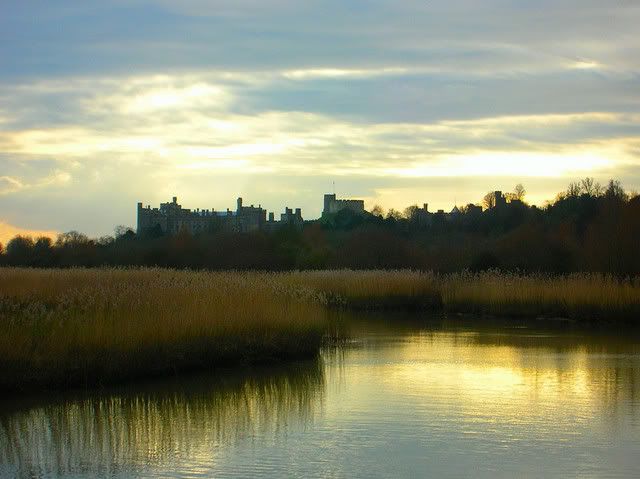
Oh - the photo - one of my best sellers - Arundel Castle - steal it if you want!
Thanks for this..but can you please tell me how to get the Avatar fron Photobucket to under your name?
Keith
Keith Hewitt
I have visited distributors and framers in over 100 countries - no two are the same.
[b]Latest You Tube launched May 2025 [/b] https://youtu.be/JN0kaFZIAEc
Once you have made the avatar, by resizing the image in photobucket, copy its URL and paste it into the "Link to off-site Avatar:" box which is down at the bottom of your profile screen.
If you are having any problems let me know.
The maximum avatar size is 80 x 80 pixels but I'm turning a blind eye to minor infringements.
WOW !
It worked - picture is not much good, but that can be changed!
Keith
Keith Hewitt
I have visited distributors and framers in over 100 countries - no two are the same.
[b]Latest You Tube launched May 2025 [/b] https://youtu.be/JN0kaFZIAEc
Hi, I've done the photobucket thing. The image in an album there, I copied and pasted the URL as per instructions into the box, but my profile page tells me that the URL is not valid. Any clues as to how I might have stuffed up!
p.s. the avatar is the size.
If you're not living on the edge, you're taking up too much space...