Page 1 of 1

Avatars

Posted: Sun 11 Feb, 2007 8:47 pm
by Roboframer
It's taken me a while to get round to an Avatar, but here is how I did it.

I use Photobucket to host photos online, above each photo you send there, ther is a toolbar where you can re-size your shots. There is a size for 'message boards' as per this ....

Image

This ensures that the photo is not too big where everyone ends up scrolling left and right.

There is also one for 'Avatars' so's you don't have to re-size your photo in 'my pictures' ......

Image


Probably a shedload of other ways of doing it

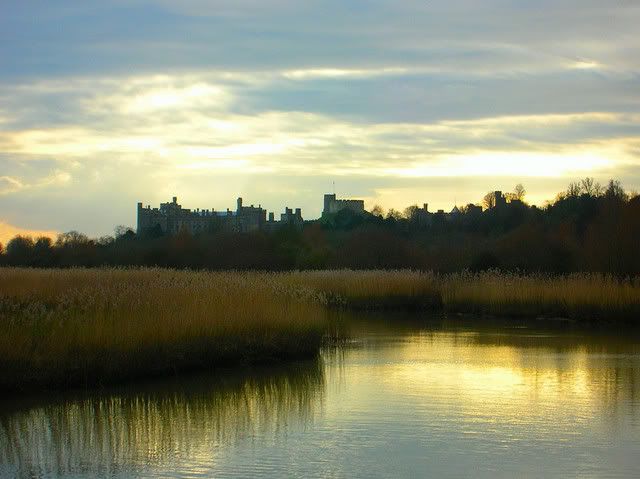
Oh - the photo - one of my best sellers - Arundel Castle - steal it if you want!

AVATARS

Posted: Mon 12 Feb, 2007 5:36 am
by Keith Hewitt
Hi John (aka Roboframer) or John at Estlite,

Thanks for this..but can you please tell me how to get the Avatar fron Photobucket to under your name?

Keith

Posted: Mon 12 Feb, 2007 7:39 am
by John
Once you have made the avatar, by resizing the image in photobucket, copy its URL and paste it into the "Link to off-site Avatar:" box which is down at the bottom of your profile screen.

If you are having any problems let me know.

The maximum avatar size is 80 x 80 pixels but I'm turning a blind eye to minor infringements.

Why is everything so darned difficult the first time?

Posted: Mon 12 Feb, 2007 6:07 pm
by Keith Hewitt
WOW ! :o
It worked - picture is not much good, but that can be changed!

Keith

avatar help

Posted: Thu 20 Mar, 2008 1:35 am
by vfmarky
Hi, I've done the photobucket thing. The image in an album there, I copied and pasted the URL as per instructions into the box, but my profile page tells me that the URL is not valid. Any clues as to how I might have stuffed up!
p.s. the avatar is the size.

Posted: Thu 20 Mar, 2008 6:46 am
by John
Hi vfmarky,

Cut and paste the URL you are using into a normal post (by replying here), it will give a better idea of just what is happening.

Posted: Fri 21 Mar, 2008 2:46 am
by vfmarky

Posted: Fri 21 Mar, 2008 5:15 am
by John
That is the link to a whole page in Photobucket that will display your image.
Cut and paste the Direct Link on that page to display only the image, thus: -
http://i288.photobucket.com/albums/ll18 ... Avatar.jpg

Image

Posted: Fri 21 Mar, 2008 5:44 am
by vfmarky
Hey, it works. thanks heaps John.